How can I search for item in Records?

How can I search for item in Records?

What is it?

This is a functionality within the Records tool that allows you to filter by specific items, such as temperatures or checklist responses. It is designed to help locate key information without having to review each of the records.


What is it for?

  • Look for records containing certain values in specific fields.
  • Filter by items such as free text, selectors or temperatures.
  • Detect errors or breaches faster.
  • Streamline audits in environments with a lot of data.
  • Avoid waste of time by navigating multiple records.

?How to access?

  1. Enter theControl Panel.
  2. Click on the toolRecords.
  3. Click on the new filter ofSearch by itemavailable in the main view.

What will you find?

  • A search field withautocomplete item.
  • Options for applying conditions according to item type:
    • "Major a", "Contains", "It's equal to", etc.
  • Compatibility with type itemsselector or multi-selectorwhere you can choose one or more options according to their settings.
  • Results that show only records that meet the defined criteria.

Info
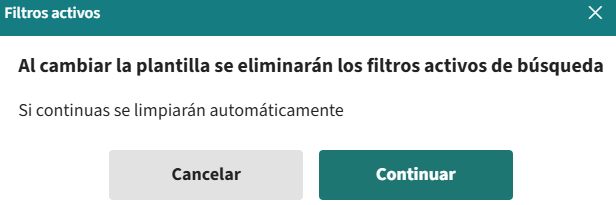
💡 Tip: If you change template with active filters, a confirmation pop-up is displayed to avoid losing applied filters.

Benefits

  • Faster monitoring key data
  • More precise and customized searches
  • Reduced errors when avoiding manual revision
  • Time saving in high-volume data environments
  • Better user experience without changing the usual flow

Ready! Now you may be interested inHow can I verify Records with Andy?

    • Related Articles

    • What can I use Tasks for?

      Understanding the differences between the Tasks and Records tools will help you organise your restaurant more efficiently and comply with all the HACCP prerequisites. The Tasks Tool... Allows you to schedule and automate the periodic tasks your team ...
    • Multi-selector format

      What is it? This is a new type of item that allows you to select multiple options within the same field. It is available in tasks, records and audits, both in the app and in the Control Panel. What is it for? Collect several answers in one field. ...
    • How does Analytics work in Audits?

      What is it? The Audit Analytics dashboard allows you to analyse the results of the audits carried out in Andy. From one glance, it is possible to detect patterns, evaluate performance and make decisions based on real data. What is it for? See key ...
    • What can I use Audits for?

      The purpose of the Andy's Audit Tool is to diagnose and identify which activities are being carried out as expected, which are not, and which can be improved to prevent potential risks. In other words, the Audits tool helps you understand how your ...
    • Action Plan

      What is it? The Andy Action Plan is the functionality that allows you to manage and close non-conformities detected in an audit through concrete and controlled actions. Each action plan is created from a non-conformity and is managed individually, ...

    Do you need more help?

    We’re here for you. You can easily reach us through the following channels.


    Phone
    +34 932 71 56 44  | Mon-Fri 8:00 a 20:00

    WhatsApp
    +34 684 46 60 17