How can I postpone an item from a task template?
In Andy there is the option of being able to postpone the completion of an item for later completion. For example, an item frequently weekly frequency can be postponed throughout the week to be completed when needed. To do this, it will first be configured fromControl Paneland click onConfiguration>Templates>Tasks.
Once you access the task template to be modified, tap on the appropriate item and on the right side of the screen,properties of the itemyou must configure the section ofFrequency.
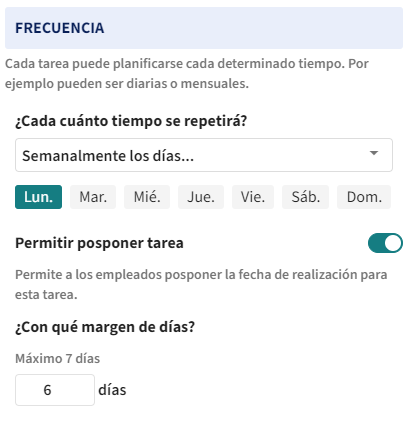
In this case, the item will appear available on Monday, and is allowed to postpone it throughout the week. Once completed, it will cease to appear until the following Monday. The frequencies available in Andy are:weekly,fortnightly,monthly,quarterlyandbiannually
Once the item has been configured correctly, inAndy APP, you must click on the item and postpone button and select the reason if necessary:
Ready! Now you may be interested inHow do I set up a temporary task in Andy?