How to set up and activate an Action Plan?

How to set up and activate an Action Plan?

Now in Andy, from the Audit tool, it is possible to activate an action plan that acts on the "Non-conformities" directly, visualizing them and easily through the toolAction Plan, available both atControl Panelas in theAndyApp. In this way, the user can manage "Non-conformities" and configure Action Plan templates from the Control Panel.

In order to generate an action plan from an audit, access to theControl Paneland click onConfiguration>Templates>Action Plan.


Once inside, tap on. This is where the items that make up the template are configured, below is an example of a basic action plan:



Once set up, tap on.

In order for the action plan to be activated, it is necessary to configure the item in the Audit template correctly. This would be an example of item setting up for the basic action plan if the answer is to be activated if the answer isNo:


Once inAndy APPAudits need to be accessed, click on the relevant audit and create it(or click on one in progress). In the event that answering the previously configured condition is fulfilled, Andy suggests:
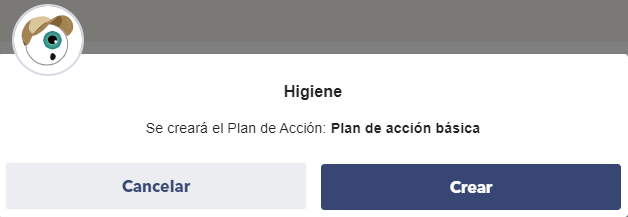


In the case of clicking onCreatethe relevant action plan is agreed to complete.
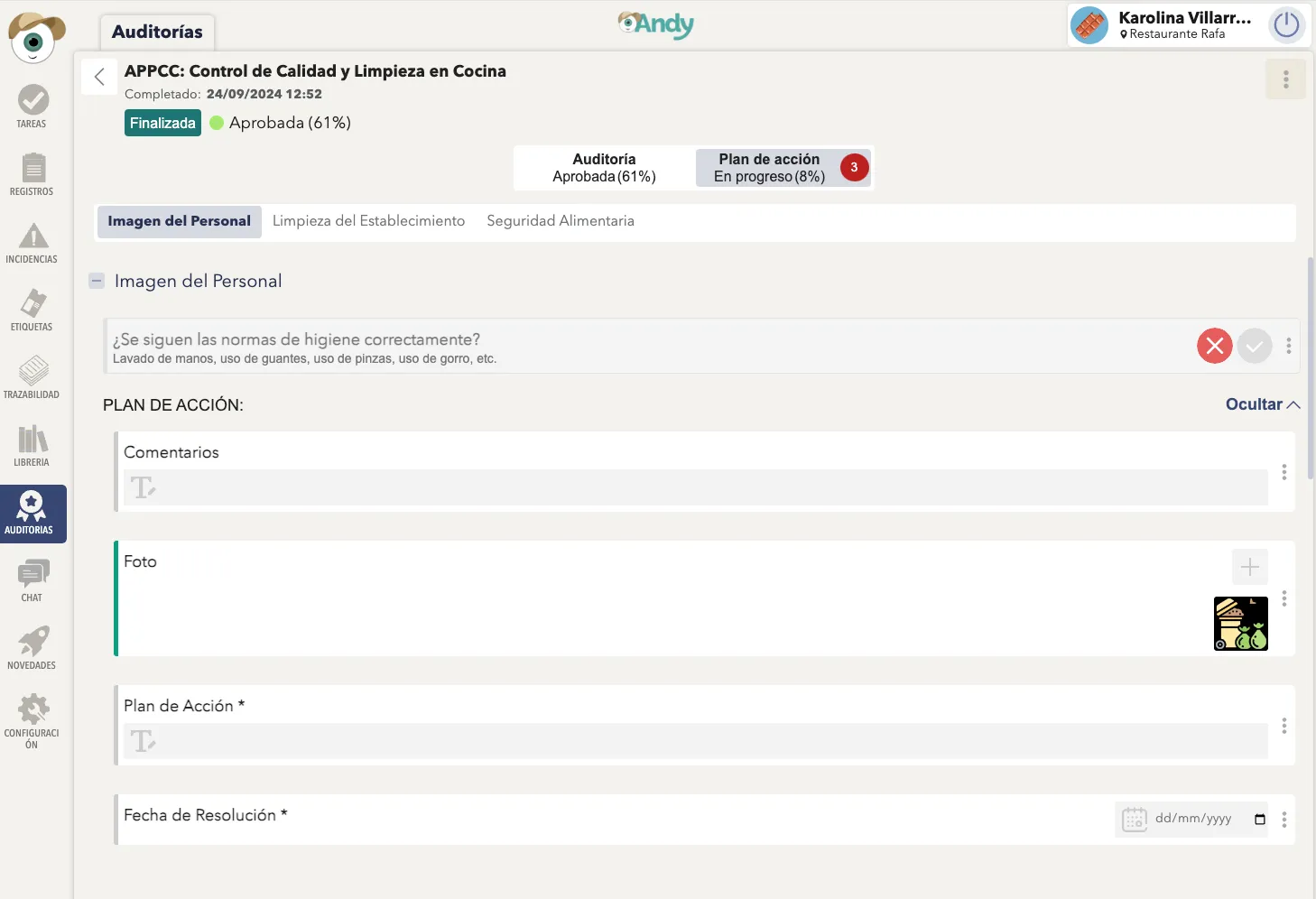


Here you can track the action plans corresponding to the audit in question.

Ready! Now you may be interested inHow do I set up Alerts with Andy?


    • Related Articles

    • How to set up alerts and incidents with sensors in Andy?

      With Andy you'll be able to constantly monitor the temperature of your kitchen equipment using temperature sensors. How? Andy allows you to configure alerts and incidents that indicate when the machinery's temperature is outside the established ...
    • How do I set up Alerts with Andy?

      Andy is the ideal kitchen companion to make sure that no processes in your kitchen go off track. However, things can go wrong, and when they do, Andy is there to alert your teams. To set up the appropriate alerts, simply go to Andy's Control Panel > ...
    • How to activate an Incident template?

      Andy allows you to put Action Plans into motion to guide your team/s when an incident occurs during the execution of records and tasks. In other words, when a record or task has not been carried out as expected, Andy warns you that something has gone ...
    • Create, Delete, Activate/Inactivate Product States

      In this article you will have the steps to take to create and then delete a state. To create a state, follow these steps: Step 1 Go to the next itemConfiguration Step 2 Inside theConfigurationyou will see the section ofLabellingwhere the titles ...
    • How to activate Cooking Mode in Andy APP?

      Andy offers a feature that makes managing Timers easier: Kitchen Mode. This mode allows Andy to display the main screen in a large, fixed format, making timer management in the kitchen simpler. To activate Kitchen Mode, first log in to Andy APP. Once ...

    Do you need more help?

    We’re here for you. You can easily reach us through the following channels.


    Phone
    +34 932 71 56 44  | Mon-Fri 8:00 a 20:00

    WhatsApp
    +34 684 46 60 17